
By Jeremy
Published August 10, 2026
Your processing fees usually go up for one of seven reasons: a scheduled interchange update from the card brands, transactions downgrading to a more expensive category, a PCI non-compliance fee starting after a lapsed self-assessment, a shift in your card mix or average ticket, a new billed service, a promotional rate expiring, or a tier re-bucket. Your statement shows which.
Every one of those causes leaves a different fingerprint on your merchant statement. This page is a diagnostic tree, not an essay. Start with the symptom you noticed, then work the phase-by-phase check below to confirm it.
Start Here: Match Your Symptom to a Cause
| What you noticed | Most likely causes | Where to confirm it | First move |
|---|---|---|---|
| Sales were flat but total fees rose | Interchange update, downgrades, a new billed service | Compare the fee-detail section line by line against last month | Work Phase 1 through Phase 3 below |
| Sales went down and fees went up | Fixed monthly items, a monthly minimum, a once-a-year fee, average-ticket shift | The fixed-fee or “other charges” section, plus your average ticket | Read the average-ticket branch |
| A brand new line item appeared | Added service, annual or regulatory item, PCI non-compliance fee | The line item’s own name, and any notice message printed on the statement | Read the added-services and PCI branches |
| The same line item costs more than it did | Interchange update, card-brand assessment change, a repriced markup | Whether the interchange section moved, the markup moved, or both | Read the interchange branch first |
| Your “qualified” rate is unchanged but the bill is higher | Tier re-bucketing, downgrades, card-mix shift | The percentage of volume sitting in qualified vs non-qualified | Read the tiered-pricing branch |
| The jump landed on an anniversary or after an intro period | Promotional rate expiring, contract auto-renewal | Your agreement’s start date, plus notice messages on prior statements | Read the contract branch |
| You take more phone, mail, or online orders than before | Downgrades from keyed entry, missing AVS, card-not-present interchange | The count of keyed vs swiped, dipped, or tapped transactions | Read the downgrade branch |
The 4-Phase Fee Increase Diagnosis
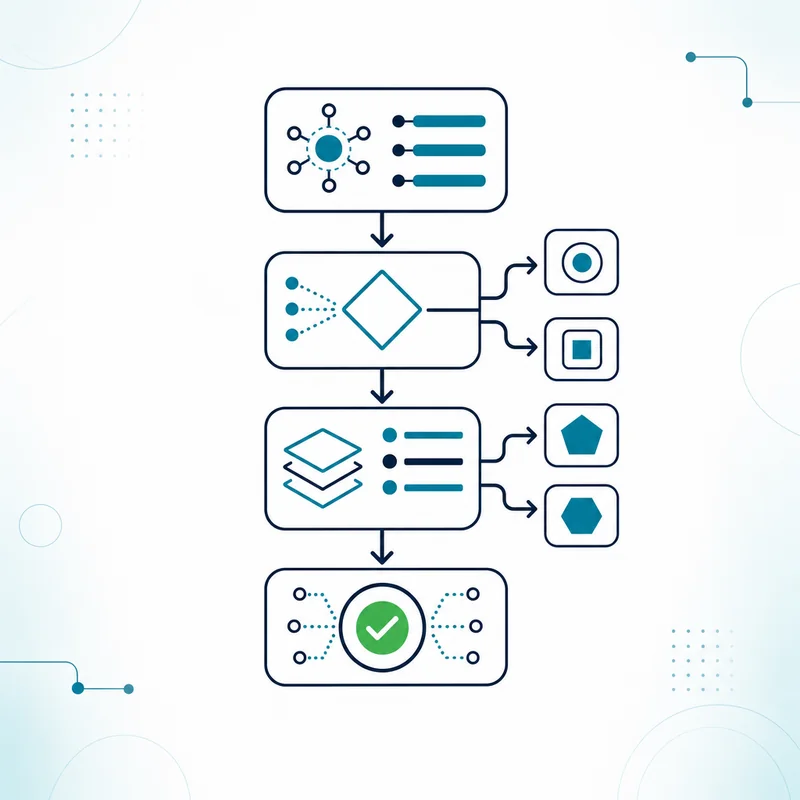
You do not need to understand interchange to run this. You need two statements and about twenty minutes.
Phase 1: Pull the two statements that bracket the change
- Baseline month: Pull a full statement from a month when the bill looked normal to you.
- Increase month: Pull the full statement for the month the number jumped, not a summary email or a portal screenshot.
- Same document, both months: Use the same multi-page statement format for both, since the fee detail you need is usually on the pages merchants skip.
- Check the cycle length: Some billing cycles run longer than others, so confirm both months cover a comparable number of days before you conclude anything moved.
Phase 2: Separate pass-through cost from your processor’s markup
- Interchange: Set by Visa, Mastercard, Discover, and American Express, passed through to every merchant by every processor, and not something any single provider controls.
- Card-brand assessments and network fees: Also set by the card brands, typically billed as small fixed or per-transaction items with brand-specific names.
- Processor and provider markup: The part your agreement actually sets, usually expressed as a percentage plus a per-transaction amount, or as tiered rates.
- Fixed monthly and annual items: Statement fees, gateway fees, wireless or data plan fees, compliance program fees, and once-a-year items that do not scale with your sales.
Phase 3: Find the line that actually moved
- New line items: Anything present in the increase month and absent in the baseline month gets flagged first, because a new charge is the fastest cause to confirm.
- Same line, higher amount: Note whether the unit cost changed or the number of units changed, since those point at completely different causes.
- Same amount, more units: More transactions at the same per-item cost is growth, not a rate increase, and it should not be treated as one.
- Effective rate check: Divide total fees by total card volume for both months, because that single percentage is the only comparison that survives a change in sales.
To run the effective rate check, enter each month’s totals in the calculator below, one statement at a time, and compare the two effective rates and average tickets. For what the result can and cannot tell you, see effective rate vs headline rate.
Effective rate calculator
This calculator runs in your browser. Nothing you enter is sent to us or stored.
Total dollar amount of card sales settled this month
Every fee charged, including fees netted from deposits
Count of settled sales, not batches
Phase 4: Match the movement to a cause and decide what to do
- Not reversible: Interchange and card-brand assessments are pass-through costs, so the realistic response is to reduce what downgrades and to benchmark the markup around them.
- Fixable by you this week: A lapsed PCI self-assessment, keyed transactions without address verification, and late batching are all merchant-side and all correctable.
- Negotiable or portable: Markup, gateway and service fees, and pricing model are contract terms, so they can be discussed, repriced, or moved.
- Needs a second opinion: If two months of statements do not explain the increase, have someone read the fee detail with you rather than guessing at it.
Want the short version of Phase 1 through Phase 4 done for you? Send your last two statements through a free statement audit, with no obligation.
Who Sets Which Fee, and Who Can Actually Change It
This table is the single most useful thing to understand before you call anyone, because it tells you which conversations are worth having.
| Fee category | Who sets it | Typical statement labels | Can your provider change it? |
|---|---|---|---|
| Interchange | Visa, Mastercard, Discover, American Express | Named interchange categories, an “interchange” subtotal | No. It is passed through, though the category a transaction lands in can often be improved. |
| Card-brand assessments and network fees | The card brands | Assessment, network access, acquirer processing, brand-usage style labels | No, though how they are disclosed to you can vary by pricing model. |
| Processor and provider markup | Your agreement | Discount rate, per-item, basis points over interchange, qualified tier rates | Yes. This is the negotiable layer. |
| Gateway, terminal, and software fees | Your agreement, or a third-party vendor | Gateway monthly, per-transaction gateway, wireless or data plan, software subscription | Often yes, and sometimes cancellable if you are not using the service. |
| PCI program and PCI non-compliance fees | Your provider’s compliance program | PCI program fee, PCI non-compliance, PCI non-validation | The non-compliance portion typically stops once you validate. |
| Equipment lease | A separate leasing company in many cases | A separate debit on your bank account, often not on the processing statement at all | Usually not, and it commonly survives switching processors. |
Label wording varies by processor and by statement format. Two statements can describe the same underlying charge with completely different words.
Cause 1: Interchange Rates Changed on Schedule
Interchange is the portion of every card transaction that goes to the bank that issued your customer’s card. The card brands publish and adjust these rates on a recurring schedule, commonly twice a year, and those adjustments reach every merchant through every processor at roughly the same time. This is the cause merchants most often mistake for their provider raising rates on them.
How to confirm it on your statement
- Timing pattern: The increase appears at the start of a billing cycle that follows a card-brand update window rather than on your account anniversary.
- Spread, not spike: Interchange changes usually show as small movements across many named categories at once, instead of one large jump on a single line.
- Markup held steady: Your percentage over interchange and your per-item amount should read identically in both months, and if either moved, this is not the cause.
- Visibility depends on your pricing model: On an interchange-plus statement you can see the categories by name, and on a tiered or bundled program you generally cannot see interchange at all.
What you can do about it
- Do not expect a reversal: No provider can refund or negotiate interchange, so any promise to do so is worth questioning.
- Reduce what you can control: The interchange category a transaction lands in is influenced by how the sale is captured, which is covered in the next branch.
- Ask to see it separated: Interchange-plus style pricing makes the pass-through and the markup visible as separate numbers, which is what makes an increase diagnosable at all.
- Benchmark the markup instead: Since the pass-through is common to everyone, the honest comparison between providers is the markup and the fixed fees layered on top.
Cause 2: Your Transactions Are Downgrading
A downgrade happens when a transaction fails to meet the requirements of the cheapest interchange category it could have qualified for, so it settles into a more expensive one. Nothing about your rate has to change for your bill to rise. The same sale simply costs more because of how it was captured, transmitted, or settled.
How to confirm it on your statement
- Look for expensive category names: Downgrade categories often carry labels containing words like standard, non-qualified, or electronic interchange reimbursement, and their share of your volume is what matters.
- Compare keyed against swiped: A rising count of manually keyed, phone, or mail-order sales is one of the most common downgrade drivers, especially without address verification.
- Check your batch timing: Batches settled outside the card brands’ expected window, commonly within about a day of authorization, can settle at a higher cost.
- Check for commercial and rewards cards: Corporate, purchasing, business, and premium rewards cards carry higher interchange than a basic consumer card, so a change in who is paying you changes what you pay.
What you can do about it
- Capture address verification on every keyed sale: Entering the billing ZIP and address on card-not-present transactions is the single most common fix.
- Batch out daily: Settle every business day rather than letting batches sit, since late settlement is both common and avoidable.
- Pass enhanced data on business cards: Some terminals and gateways can pass additional data such as tax amount, customer code, or line-item detail on commercial cards, and availability depends on your equipment and setup.
- Fix the capture, then re-measure: Give it a full billing cycle after the change and compare the effective rate, because this is a fix you can prove or disprove with a number.
Cause 3: A PCI Non-Compliance Fee Started
PCI compliance is validated by completing a self-assessment questionnaire, and in some setups a network scan, on a recurring basis. When that validation lapses, many programs begin billing a monthly non-compliance fee until it is completed again. Merchants frequently read this as an arbitrary new charge, when it is actually a switch that flipped because a form went unfinished.
How to confirm it on your statement
- Read the exact label: Look for wording along the lines of non-compliance, non-validation, or non-receipt, which is different from a standard PCI program fee.
- Separate the two PCI items: A program or service fee can be legitimate and ongoing at the same time a separate non-compliance fee is being added.
- Check whether it repeats: A non-compliance fee typically recurs every month until you validate, so it will appear on every statement since it started.
- Match it to your last validation date: Self-assessments are generally valid for a limited period, so a fee that begins roughly a year after your last completed questionnaire is a strong signal.
What you can do about it
- Complete the self-assessment: Your provider will point you to the compliance portal where the questionnaire lives, and finishing it is usually the whole fix.
- Run the scan if your setup requires one: Merchants who take payments online or have systems reachable from the internet may also need a periodic network scan.
- Ask about credits once you validate: Whether any portion is credited back after validation depends on your provider and your agreement, so ask in writing.
- Calendar the next one: Put a reminder in before the validation expires so the fee never restarts. Our PCI compliance page covers what the questionnaire involves.
Cause 4: Your Volume, Average Ticket, or Card Mix Shifted
Processing cost is not one number. It is a percentage component plus a fixed per-transaction component, layered over a card mix you do not control. When the shape of your sales changes, your effective rate changes even though nobody touched your pricing. This is the cause most likely to be misdiagnosed, because the merchant is certain nothing changed on their end.
How to confirm it on your statement
- Compare effective rate, not dollars: Total fees divided by total card volume, for both months, is the comparison that removes the effect of a busier or slower month.
- Compare average ticket: Fixed per-transaction components represent a larger share of a small sale than a large one, so a falling average ticket raises your effective rate on its own.
- Look at the card mix: More rewards cards, more business or corporate cards, and more card-not-present sales all push cost up without any repricing.
- Check for a monthly minimum or volume band: Some agreements apply a minimum monthly charge or price by volume band, so a slow month can trigger a charge a busy month never showed you.
Illustrative arithmetic only, using made-up numbers to show the mechanic. These are not PayPoint Systems rates and are not a quote. If a fixed charge of fifteen cents applies per transaction, that component alone is 0.15 percent of a one hundred dollar sale and 0.75 percent of a twenty dollar sale. Same pricing, very different effective rate.
What you can do about it
- Confirm it is a mix change before escalating: If the effective rate moved but no line item was repriced, the shape of your sales is the likely explanation.
- Look one year back, not one month back: Seasonal businesses often find the same pattern in the same month of the prior year.
- Reprice if the change is permanent: A business that has genuinely shifted toward smaller tickets or more online orders may be on the wrong pricing model rather than the wrong provider.
- Bring both statements to the conversation: A repricing discussion without the underlying data is guesswork on both sides.
Cause 5: A New Service Is Quietly Being Billed
Payment accounts accumulate services. A gateway, a wireless data plan, a reporting add-on, a compliance program, a once-a-year regulatory item. Individually these are small. Together, and especially when one arrives without you noticing, they can account for an entire month’s increase without a single processing rate changing.
How to confirm it on your statement
- Isolate every fixed monthly item: These do not scale with sales, so they are easy to line up between two months and spot instantly.
- Watch for annual and once-a-year items: Yearly fees, including tax-reporting related items, often land in one specific month and make that month look like a permanent increase.
- Read the notice box: Processors commonly disclose changes in a message area printed on the statement itself, so look back two or three statements for a change-in-terms notice you skimmed past.
- Check whether an equipment lease is separate: Leases are frequently billed by a different company entirely, on a different date, and will not appear in the processing fee detail.
What you can do about it
- Cancel what you genuinely do not use: A gateway or add-on left over from an old website or an old terminal is a common find.
- Ask for the current fee schedule in writing: A complete written list of every recurring charge on the account is a reasonable request to make of any provider.
- Ask what each unfamiliar item is for: If a charge cannot be explained plainly, that is itself useful information.
- Handle the lease as its own question: Equipment leases typically have their own term and their own cancellation rules, and they often continue even if processing moves.
If you have found the line item but nobody has explained it to you in plain English, that is exactly what a free statement audit is for.
Cause 6: A Promotional Rate Expired or the Contract Auto-Renewed
Introductory pricing ends. Terms renew. Many merchant agreements renew automatically for an additional term unless written notice is given inside a specific window, and pricing terms can be amended on notice depending on what the agreement says. When an increase lands on an anniversary rather than a card-brand update window, this is the branch to work.
How to confirm it on your statement
- Do the anniversary math: Compare the month of the increase against your account start date and against the end of any introductory period you were offered.
- Re-read the pricing exhibit: Introductory or promotional pricing usually names a duration, and what it reverts to is stated somewhere in the agreement.
- Find the renewal clause: Look for automatic-renewal language, the length of the renewal term, and the notice window required to prevent it.
- Look back for a notice: A change-in-terms notice is commonly printed on a statement one or more cycles before it takes effect.
What you can do about it
- Find your notice window before you do anything else: The window is often narrow and tied to the renewal date, so knowing the date determines every option you have.
- Request the renewal date and any early-termination terms in writing: Ask your current provider directly and keep the response.
- Ask what is portable: Stored cards, recurring billing schedules, and gateway configurations vary in how easily they move, and that matters more than the rate for some businesses.
- Do not cancel anything before you have a plan: Turning off processing without a tested replacement is how a fee problem becomes a revenue problem.
A dedicated guide to cancelling a merchant services contract is planned as a companion to this page.
Cause 7: Your Tiered Pricing Buckets Were Redefined
On tiered pricing, every transaction is sorted into a bucket, commonly qualified, mid-qualified, and non-qualified, and each bucket has its own rate. Which interchange categories map into which bucket is a definition, not a law of nature. If that mapping is adjusted, transactions move to a more expensive bucket while the advertised qualified rate stays exactly as printed.
How to confirm it on your statement
- Identify that you are on tiers at all: Statements showing qualified, mid-qualified, and non-qualified lines are tiered, and statements showing named interchange categories plus a markup are not.
- Compare bucket share, not bucket rate: Look at what percentage of your volume sat in each bucket in both months, since that is where the movement hides.
- Confirm the headline rate is unchanged: If the qualified rate is identical and the bill is higher, the sorting changed, the price did not.
- Note what you cannot see: Tiered statements typically do not disclose actual interchange, which is precisely why an increase is hard to attribute on this model.
What you can do about it
- Ask which categories map to each tier, in writing: This is a fair question and the answer tells you how the program actually behaves.
- Request an interchange-plus comparison: Pricing that separates pass-through from markup is the only structure where an increase can be traced to a cause.
- Judge by effective rate, not by the qualified rate: The qualified rate describes your cheapest transactions, not your bill.
- Re-run the comparison after any change: Whatever you switch to, measure it the same way one full cycle later.
What If More Than One Cause Applies?
Frequently, more than one does. A quarter with more phone orders, a lapsed self-assessment, and a scheduled interchange update can all land on the same statement and read as a single unexplained jump. Work the branches in order rather than stopping at the first plausible answer, and use the effective rate as the running scoreboard. A cause you can prove with a number is a cause you can fix.
Frequently Asked Questions
Why did my credit card processing fees go up this month?
The most common causes are a scheduled interchange update from the card brands, transactions downgrading into a more expensive interchange category, a PCI non-compliance fee beginning after a lapsed self-assessment, a new or annual service fee, a shift in your average ticket or card mix, an expiring promotional rate, or a tiered-pricing re-bucket. Comparing two months of statements line by line identifies which.
Can my processor raise my rates without telling me?
It depends on your agreement. Many merchant agreements permit pricing changes on written notice, and that notice is commonly delivered as a message printed on a statement rather than as a separate letter. Check the two or three statements before the increase for a change-in-terms notice, and review the amendment and notice provisions in your agreement.
What is a downgrade on a merchant statement?
A downgrade is a transaction that fails to meet the requirements of the cheapest interchange category it could have qualified for and settles in a more expensive one instead. Common triggers include manually keyed sales without address verification, missing data on commercial cards, and batches settled outside the expected window. Your rate never changes, but the transaction costs more.
Is the PCI non-compliance fee a scam?
No, though it is widely misunderstood. It is a fee many programs apply when a merchant has not completed the required self-assessment, and in some setups a network scan, within the validation period. It typically recurs monthly until validation is completed. Whether any portion is credited afterward depends on your provider, so ask in writing.
My sales went down but my fees went up. How is that possible?
Fixed costs and per-transaction costs do not shrink with your sales. Monthly service fees, gateway fees, compliance fees, once-a-year items, and any monthly minimum stay the same or trigger in a slow month. A falling average ticket also raises your effective rate, because the fixed portion of each transaction represents a larger share of a smaller sale.
How do I tell interchange apart from my processor's markup?
On interchange-plus style pricing, the statement lists interchange categories by name with a subtotal, then shows the provider’s markup as a separate percentage and per-item amount. On tiered or bundled pricing, the two are blended into qualified, mid-qualified, and non-qualified rates and cannot be separated from the statement alone. That difference is the main reason an increase is diagnosable on one model and not the other.
Should I switch processors because my fees went up?
Not until you know the cause. If the increase came from interchange or from your own card mix, it follows you to any provider, and switching solves nothing. If it came from markup, redefined tiers, unused services, or an expired promotional rate, it is a pricing conversation, and switching may be one reasonable outcome of that conversation. Diagnose first, decide second.
Related guides
- How to Read a Merchant Services Statement
- Merchant Statement Fee Dictionary: What Every Line Item Means
- How to Cancel a Merchant Services Contract
This article is general information for business owners, not legal, tax, or accounting advice. Card brand rules, interchange schedules, and processor agreements change; confirm specifics against your own statement and your own signed agreement.