
By Jeremy
Published September 26, 2026
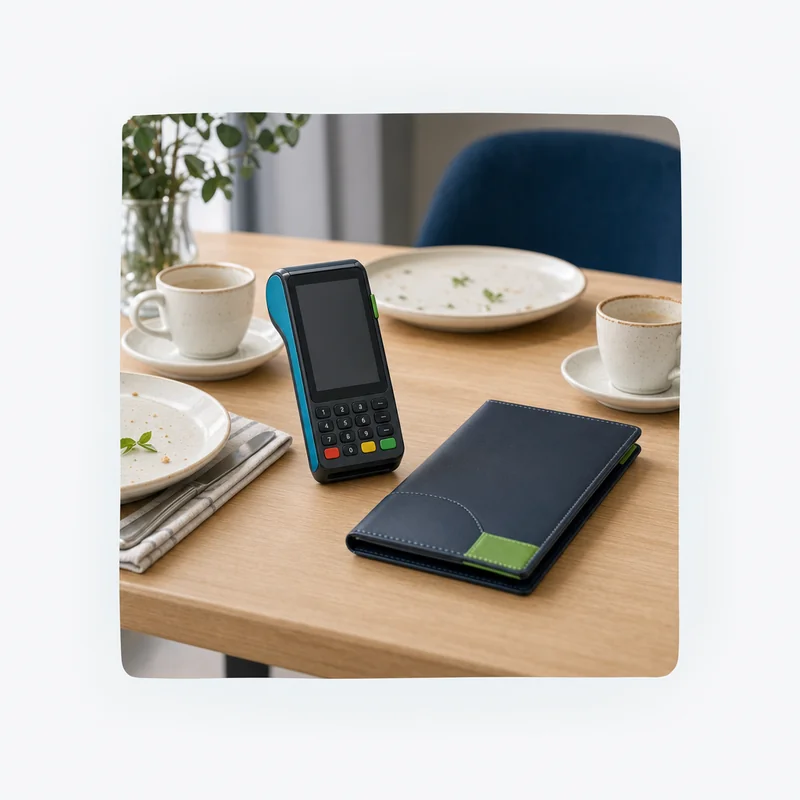
Pay at the table means your guest settles the check at their seat, on a card reader the server brings over or one that stays on the table, instead of handing over a card that disappears to a terminal by the kitchen. The card never leaves the guest’s hand, the tip goes in on the screen before the payment is approved, and a split check gets divided right there.
For a full-service restaurant, the switch is less about hardware than the routine around it. Below are the device options, the card network tip rules, where the IRS draws the line between a tip and a service charge, what tableside does for security, and a setup checklist.
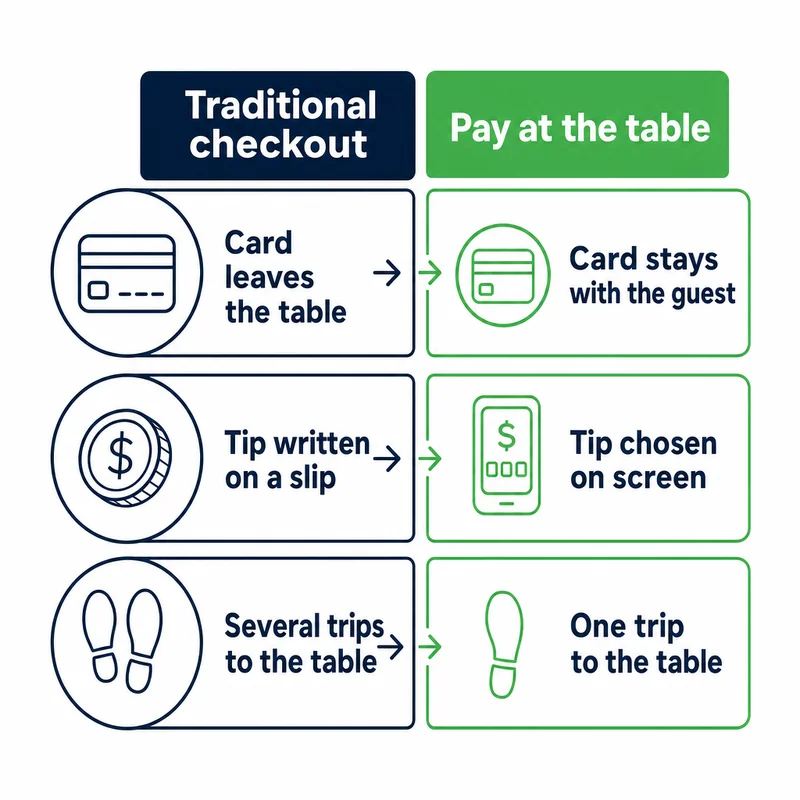
Traditional checkout vs. pay at the table
In the traditional flow, the card goes on a trip. The server carries it to a terminal at the service station, runs it for the check total, and comes back with a paper slip. The guest writes in a tip and signs, and later, before the batch closes, someone keys that tip in as an adjustment.
Pay at the table removes the trip. The server brings the reader to the guest, or the guest uses a device already on the table, and checkout happens in one visit.
| Step | Traditional checkout | Pay at the table |
|---|---|---|
| Where the card goes | Away from the table to a terminal at the service station | Stays in the guest’s hand |
| How the card is read | Dipped or swiped by the server | Tapped, dipped, or paid with a phone or watch wallet by the guest |
| When the tip is added | Written on a paper slip after approval, then keyed in later | Chosen on the screen before the payment is approved |
| Splitting the check | The server runs each card separately and brings back a slip for each | Guests choose a split on the screen and each pays their share |
| Trips to the table at checkout | Several: drop the check, collect the card, return the slip, pick up the signed copy | One, when the device arrives with the check |
| End-of-night work | Tip adjustments entered before the batch closes | Tips already included in the approved amounts |
There is also a reach question. A guest paying with a phone or watch wallet needs a reader within arm’s length, so tableside is how you take those payments without sending the guest to a counter.
Pay at the table options: handhelds, tabletop devices, and QR codes
There are three common setups, and plenty of restaurants mix them. The right one depends on your service style, your POS, and how much of checkout you want the server to own.
| Option | How it works | Where the tip goes | What to check |
|---|---|---|---|
| Handheld terminal | The server brings a portable reader with the check. The guest taps, dips, or uses a phone wallet. | On the handheld, before the payment goes through | Battery life over a shift, signal in every dining area, and whether it pulls open checks from your POS |
| Pay-at-table device | A tablet or reader stays on the table through the meal. Guests pay when they’re ready. | On the tabletop screen | Cleaning, charging, and securing devices between seatings |
| QR code on the check | The guest scans a code and pays on a web page on their own phone. | On the payment page | How these payments are classified and priced, and how they post back to your POS |
The QR row needs a closer look. Visa’s rules count a sale as card-present only when it’s completed on an acceptance device owned or managed by the merchant or its bank, and they say a device the cardholder owns doesn’t qualify. A payment the guest finishes on their own phone falls on the card-absent side of those definitions, and Visa handles a fraud dispute on a card-absent sale under a different dispute condition than one on a card-present sale.
Ask your provider how QR payments are classified and priced. Our guide to card-present vs. card-not-present transactions explains why that difference shows up on a statement.
For the handhelds and countertop systems restaurants use, see our restaurant POS and payment processing page and the POS systems and hardware overview. Whichever option you choose, the habits that make it work are the same.
Tips at the table: what Visa and Mastercard rules allow
Tips are where tableside changes the most, because card network rules limit how far the final charge can move after a card is approved. The old approve-now, tip-later routine only works inside those limits.
- Visa. Visa’s April 2026 rules let the final amount at a US restaurant differ from the authorized amount by up to 30%, effective February 21, 2026. Before that date the limit was 20%, and merchants set up under the bar category are still at 20%. After a partial approval, the two amounts must match exactly.
- Mastercard. Mastercard’s June 2026 rules for US cards at US merchants require the tip to be inside the authorization for contactless (tap) and chip-and-PIN sales, and for any sale sent as a final authorization. A tip can be added after approval only on keyed, swiped, or chip-and-signature sales (and card-not-present restaurant orders), up to 30% of the authorized amount. Above that, a preauthorized sale needs an incremental authorization.
In plain terms: once guests tap at the table, the tip belongs on the screen before the tap, at least for Mastercard. A device that asks for the tip first keeps you inside both networks’ rules.
A worked example
Say you run a guest’s $80 check as a preauthorization at the service station, and the guest writes a $20 tip on the paper slip. The final charge of $100 is 25% above the authorized amount, which fits inside the 30% limit for a restaurant. If your account is set up under the bar category, Visa’s 20% limit applies and the same tip is already over it.
Had the guest written in $30 instead, the gap would be 37.5%. Mastercard’s rule would then call for an incremental authorization, and Visa’s table doesn’t allow a difference that large.
Now run the same example at the table. The guest picks a $20 tip on the screen and taps, so the authorization is for $100 and there is nothing to adjust at close.
A tip added later also means the amount pending on the guest’s card can differ from what finally posts. Our guide to authorization holds explains why.
Tip or service charge: how the IRS draws the line
A tableside screen makes it easy to prompt for a tip, and just as easy to set one up that the IRS would not treat as a tip. According to the IRS, a payment is a tip only if the customer voluntarily decides to pay it and determines the amount. Here is how that plays out on a tip screen.
- Suggested percentages are fine. The IRS treats suggested tip amounts as voluntary as long as the guest can choose any amount or leave the tip blank.
- A required tip is not a tip. The IRS lists a digital payment prompt that requires the customer to select a tip greater than zero before paying as an example of a service charge.
- Automatic gratuities are service charges. An automatic charge added to large-party checks is a service charge, as an IRS fact sheet on tips and service charges spells out. Paid out to staff, it is wages rather than tips, and the IRS treats service charges as the restaurant’s income whether or not they are passed on.
- The line now reaches your servers’ tax returns. The federal deduction for qualified tips, available for tax years 2025 through 2028, applies only to voluntary tips that meet IRS conditions. Mandatory service charges are not eligible.
Because the IRS treats required or automatic gratuities as service charges rather than tips, POS and payroll reports should keep the two apart. The IRS notes that examiners may ask for POS records showing how service-charge sales are separated from tipped sales. Confirm the setup with your accountant.
Splitting the check at the table
Split checks are where tableside earns its keep on a busy night. Look for a system that lets the server or the guests divide a check evenly, by seat, by item, or by custom amount, and then takes each card in turn with its own tip prompt.
Visa’s rules expressly allow this. They prohibit splitting one transaction into multiple receipts unless an exception applies, and paying part of a purchase with one Visa card and the rest with another card or another form of payment is one of those exceptions.
Two details to settle before you go live:
- Gift cards and partial approvals. When a card is approved for only part of the amount, Visa’s rules require the final amount on that card to match the approval exactly. The balance goes on another payment, and no tip can be added to the partially approved card afterward.
- Where the split lives. A split made on the device should show up the same way in your POS, so sales reports, tip reports, and server checkouts all agree.
Security: what tableside payments change, and what they don’t
The security benefit of pay at the table is narrow but real. The card stays in the guest’s hand, the chip or tap read happens in front of them, and the card no longer spends time out of their sight in the back of the house.
What it doesn’t do is make a restaurant PCI compliant. The PCI Security Standards Council says that approved payment terminals can help with compliance but don’t by themselves make a merchant compliant or shrink the scope of its cardholder data environment. Terminals are still reviewed in a PCI DSS assessment. The Council notes that devices used as part of a PCI-listed point-to-point encryption (P2PE) solution can help reduce scope.
Handhelds add one duty of their own. They move around the dining room and patio all night, and the Council’s guidance expects each terminal to be on the merchant’s device inventory and protected from tampering and substitution. Number every device, check it in and out each shift, and look it over for anything attached or swapped. Our PCI compliance page covers the rest of what a restaurant’s PCI program involves.
Setting up pay at the table: a step-by-step checklist
Work through these in order before the first live service.
- Count devices by section, not by server. Look at how many tables close out at once in your busiest service, and plan enough readers that no one waits on one.
- Walk the floor with a test device. Run a live test payment at the farthest booth, the patio, the bar, and anywhere Wi-Fi is weak. If the device has a cellular connection, test that too.
- Plan charging. Decide where devices charge, who swaps them mid-shift, and how many spares you keep.
- Connect it to your POS. The device should pull the open check and close it when paid, so no one re-keys amounts.
- Build the tip screen. Ask for the tip before payment, and decide whether suggested percentages use the subtotal or the total with tax. Make the screen say which. Under the IRS guidance above, a screen that requires a tip above zero turns that amount into a service charge.
- Check how service charges are reported. The IRS treats automatic gratuities as service charges, not tips, so confirm the POS reports them apart from tips.
- Decide how offline mode works. Some terminals can store a payment when the connection drops and send it later. Visa’s rules call for that deferred authorization request within 24 hours for a restaurant, and Mastercard’s rules say the merchant keeps the risk of loss if the card is later declined and the debt can’t be recovered. Decide who can turn offline mode on and how large a check it may cover.
- Train one routine. Every server presents the check, holds out the device, lets the guest handle the card, and confirms the check closed before leaving the table.
- Track devices every shift. Check each numbered device out and back in, and inspect it for tampering.
Questions to ask your provider before you buy
Bring these to any demo. The answers tell you more than the spec sheet does.
- Does the device pull open checks from my POS and close them automatically?
- Can the tip prompt come before payment on every card type, with a custom amount and a no-tip option?
- How does the system handle a tip entered after approval that goes over the network limit?
- How are QR code payments classified and priced on my statement?
- Does the device fall back to cellular if Wi-Fi drops, and is offline mode on or off by default?
- Is the device part of a PCI-listed P2PE solution, and what does that change about my PCI validation?
- What does the device cost to buy, lease, or rent, and what happens to it if I change providers?
Comparing tableside devices with a countertop setup? Our guide to choosing a credit card machine covers device types and lease vs. buy. If you want a second set of eyes on your current costs before you change equipment, PayPoint Systems can review a recent statement with you.
Frequently Asked Questions
What is a pay-at-table device?
A pay-at-table device is a card reader the guest uses at their seat: either a handheld the server brings with the check or a tablet that stays on the table. The guest reviews the check, adds a tip on the screen, and taps, dips, or uses a phone wallet, so the card never leaves their hand. Some restaurants use a QR code on the check instead, which the guest pays on their own phone.
What does tableside mean in a restaurant?
Tableside means something is done at the guest’s table rather than at a counter or service station. For payments, the server brings the card reader to the table, or a device waits there, and the guest pays at their seat. It replaces the older routine of carrying the card to a terminal in the back and returning with a paper slip for the tip and signature.
Can a server add a tip after a card is tapped?
Under Mastercard’s June 2026 rules for US cards at US merchants, no. The tip on a contactless or chip-and-PIN sale must be included in the authorization. A tip can be added after approval only on keyed, swiped, or chip-and-signature sales (and card-not-present restaurant orders), up to 30% of the authorized amount. Visa’s April 2026 rules let a US restaurant’s final amount exceed the authorization by up to 30%. Asking for the tip before the tap avoids the problem.
Is an automatic gratuity considered a tip?
No. The IRS treats an automatic gratuity, such as a charge added to every large-party check, as a service charge. A payment is a tip only when the customer decides to pay it and sets the amount. Service charges paid out to staff are wages, and they don’t qualify for the federal deduction for qualified tips. A tip screen that forces a tip above zero creates a service charge too.
Can guests pay with their phone at the table?
Yes, if the reader comes to them. A phone or watch wallet is tapped on the reader like a contactless card, so a handheld or tabletop device lets guests pay that way without walking to a counter. A QR code on the check works differently: the guest pays on a web page on their own phone, which Visa’s definitions place on the card-absent side rather than the card-present side.
Does pay at the table make a restaurant PCI compliant?
No. Tableside devices reduce the time a card spends out of the guest’s sight, but PCI DSS compliance covers your whole payment environment. The PCI Security Standards Council says approved payment terminals don’t by themselves make a merchant compliant or reduce the scope of its assessment. A PCI-listed point-to-point encryption solution can help reduce scope, and handhelds still need inventory and tamper checks.
How do you split a check with pay at the table?
The server or the guests choose a split on the device, evenly, by seat, by item, or by custom amount, and each person pays their share with their own card and their own tip. Visa’s rules prohibit splitting one transaction into multiple receipts unless an exception applies, and paying part with one Visa card and the rest with another card or payment method is one of those exceptions.
Related guides
- The Cheapest Way for a Small Business to Accept Credit Cards
- Why Your Card Deposits Do Not Match Your Sales
Sources
- Visa Core Rules and Visa Product and Service Rules (18 April 2026), Visa
- Transaction Processing Rules (9 June 2026), Mastercard
- Tip recordkeeping and reporting, Internal Revenue Service
- FS-2015-8, Tips Versus Service Charges: How to Report, Internal Revenue Service
- FAQ 1301: How should payment terminals be considered during a PCI DSS assessment?, PCI Security Standards Council
This article is general information for business owners, not legal, tax, or accounting advice. Card brand rules, interchange schedules, and processor agreements change; confirm specifics against your own statement and your own signed agreement.