
By Jeremy
Published August 10, 2026
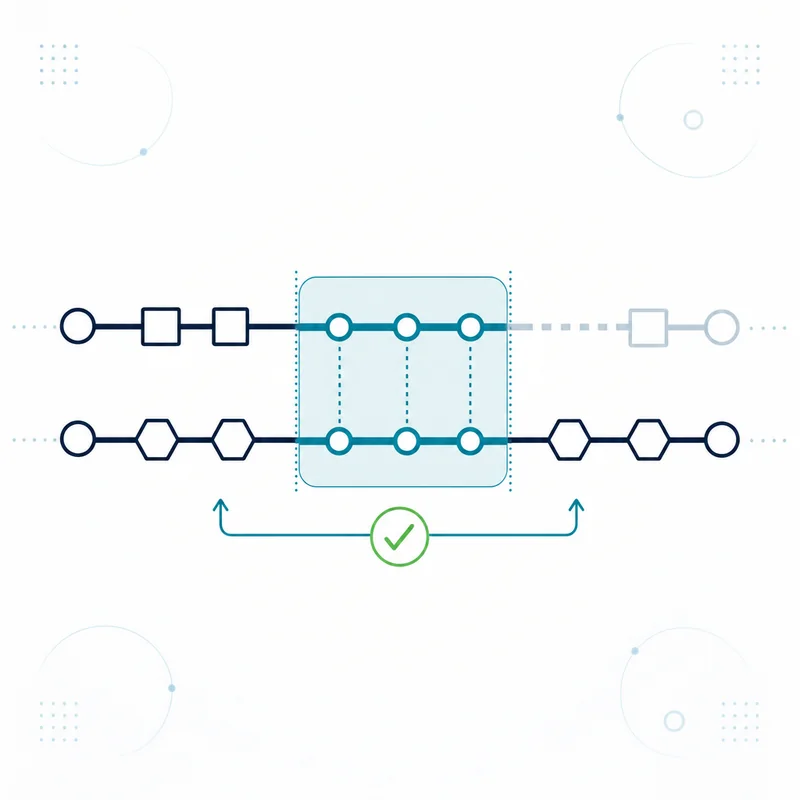
Switching credit card processors without downtime typically takes two to six weeks and runs in five phases: contract and cost diligence, application and underwriting, hardware and gateway setup, a dual-run overlap where both accounts are live, and a clean batch cutover followed by written cancellation of the old account.
The part that actually breaks is almost never the countertop terminal. It is the stored cards, the recurring billing schedules, and the notice window buried in an agreement nobody reread. Work the phases below in order and the switch becomes a scheduling exercise instead of a revenue interruption.
The Five Phases of a Processor Switch
You do not need to understand interchange to run this plan. You need your last two statements, a copy of your agreement, and a written list of everything in your business that touches a card.
Phase 1: Do the diligence before you shop
- Effective rate baseline: Divide total fees by total card volume on your last statement, because that single percentage is the only number that survives a change in provider, pricing model, or sales mix.
- Notice and auto-renewal terms: Locate the term length, the renewal clause, the notice window required to prevent renewal, and any early-termination provision in your own agreement, since those dates determine your options and your timing.
- Card-connected inventory: Write down every terminal, POS station, gateway, invoicing tool, subscription platform, and integration that touches a card, because anything missing from that list is what fails on cutover day.
- Equipment ownership: Confirm in writing whether each device is owned, financed, or leased, since a lease is usually a separate contract with a separate company and its own end-of-term rules.
Phase 2: Apply and get through underwriting
- What underwriting reviews: A merchant account is an extension of risk, so the review typically looks at business type, ownership, processing history, chargeback history, and how and where you take payments.
- Documents to have ready: Most applications ask for business formation documents, a voided check or bank letter, owner identification, and recent processing statements, and having them assembled up front is the single biggest timeline saver.
- What can extend the review: Higher-risk categories, thin or missing processing history, mismatched business names, and unanswered document requests all commonly add time, and none of them are unusual.
- Approval conditions: Approvals may come with conditions such as a reserve, a volume ceiling, or a monthly cap, so read the approval terms rather than only the pricing exhibit.
Phase 3: Build the new setup before you touch the old one
- Hardware decision first: Establish whether each device will be reprogrammed, re-keyed, or replaced, because that answer drives your lead time more than anything else in the project.
- Gateway and integration setup: Stand up the new gateway or processor connection in a test or sandbox mode where available, and confirm your cart, invoicing tool, or POS supports it before you schedule anything.
- Stored-card migration request in writing: Ask both providers, in writing, exactly how cards on file and recurring schedules will move, who performs the transfer, and how long it takes.
- Test transactions on every lane: Run a live low-value sale and a refund through each channel you accept, then confirm both appear correctly in the batch and in your bank account.
Phase 4: Run both accounts in parallel
- Define the overlap window: Keep the old account open and functional while the new one carries live volume, so any failure has a working fallback instead of a closed sign.
- Move one lane at a time: Bring over card-present first, or ecommerce first, but not both on the same day, since a staged cutover isolates the cause when something misbehaves.
- Watch the first deposits: Reconcile each day’s batch to the deposit that lands from it, because funding timing and batch totals are where configuration errors surface first.
- Keep the old hardware powered and configured: Do not return equipment or wipe a terminal until the new lane has processed a full business cycle including a weekend.
Phase 5: Cut over the batch, then close the old account properly
- Settle the final batch cleanly: Close out the last batch on the old account at your normal cutoff time rather than mid-day, so no authorization sits open across two providers.
- Let the tail run: Refunds, chargebacks, and retrievals on old transactions are processed by the old provider, so leave that account and its funding bank account open until that activity clears.
- Cancel in writing: Send a written cancellation to the address or method your agreement specifies, keep the confirmation, and note the effective date.
- Check the final statement: Read the last one or two statements for monthly minimums, annual items, gateway or compliance fees, and any early-termination or equipment charges you were not expecting.
Not sure whether switching is even the right answer for your situation? Send a recent statement through a free rate analysis. It is a free review of your statement, with no obligation.
What to Confirm Before You Shop
Most switching problems are created in the week before anyone signs anything. Three things carry almost all of the risk.
Your effective rate, not your quoted rate
A quoted rate describes your cheapest transactions. Your effective rate describes your bill. Total fees divided by total card volume gives you one percentage you can carry into any conversation, and it is the only figure that lets you compare two offers built on different pricing models. Do that math on your own statement before you take a single sales call, because a proposal you cannot compare to a baseline is not a proposal you can evaluate.
Your contract’s notice and auto-renewal terms
Many merchant agreements in this industry renew automatically for an additional term unless written notice is given inside a specific window. Those windows are often narrow and tied to the anniversary of your start date. Read your own agreement, note the exact dates, and if the language is not clear to you, have it reviewed by someone qualified to do that. Nothing on this page is legal advice, and the terms that matter are the ones in your contract, not the ones in a general article.
You can switch processors and cancel an old account as two separate, sequenced steps. Sequencing them in that order is what protects you: the new account is live and proven before you give notice on the old one.
Everything in your business that touches a card
| Item to inventory | What breaks if you forget it | Who usually has to act |
|---|---|---|
| Countertop and wireless terminals | A lane stops taking cards on cutover day | Your new provider, plus the device manufacturer or key-injection facility |
| POS system and its payment integration | The POS still authorizes to the old processor, or refuses to authorize at all | Your POS vendor, who controls which processors are certified to their software |
| Ecommerce checkout and payment gateway | Online orders decline silently while the storefront looks normal | Your gateway provider and whoever maintains your site |
| Cards on file and stored payment methods | Customers are asked to re-enter cards, or charges simply fail | Both providers, and any software vendor holding the tokens |
| Recurring and subscription billing schedules | A billing run misses, and you find out from customers rather than from a report | Whoever owns the billing platform, which is often not the processor |
| Invoicing and virtual terminal logins | Staff cannot take a phone payment because nobody has credentials | You, at setup time |
| Accounting and reconciliation integrations | Deposits stop matching your books mid-month | You and your bookkeeper |
| Tip, loyalty, gift card, and reporting add-ons | An add-on that lived on the old platform disappears without warning | The add-on vendor, who may have its own contract |
| Equipment leases | You keep paying for hardware you no longer use | The leasing company, which is frequently a separate business entirely |
| PCI compliance portal enrollment | A validated account becomes unvalidated on the new platform, and fees can follow | You, on the new provider’s compliance portal |
| The bank account that receives deposits | Funds route to an account you already closed | You, and it should stay open through the whole tail period |
Every business has at least one item on this list it forgot about. The point of writing it down is to find that item in week one instead of on cutover day.
One more item belongs on this list if you are weighing a cost-offset program. A surcharge adds a fee to credit card transactions, and card brand rules do not permit surcharging debit or prepaid cards. Dual pricing is a different structure, where you display one price for cards and another for cash, and it is governed by its own requirements rather than by the surcharging rules. Each carries its own disclosure obligations, so settle the question during the shopping phase. Surcharging legality also varies by state, so start with whether surcharging is legal in Indiana and confirm anything outside Indiana with your own counsel.
Underwriting and Approval: What to Expect
A merchant account is not a subscription you activate. It is an underwritten relationship, because the provider carries risk if your business cannot fund refunds or chargebacks. That is why the application asks questions a software signup never would.
- Timing depends on underwriting: Straightforward applications with complete documentation typically move quickly, while unusual business types, thin history, or missing documents may take considerably longer.
- Complete documentation is the lever you control: The most common cause of a slow file is an unanswered request, not a difficult decision.
- Consistency matters more than perfection: Legal business name, tax identification, bank account name, and the name on your storefront should agree, and where they do not, explain it up front.
- Read the approval, not only the price: Reserves, monthly volume caps, ticket caps, and delayed initial funding are all normal conditions on some accounts, and they affect your cash flow more than a basis point does.
Do not schedule your cutover, order signage, or give notice on an old contract until you have an approval in hand. Nobody can promise an approval date, and planning around one you do not have is how a smooth switch becomes a gap in card acceptance.
Terminals and POS: Reprogram, Re-key, or Replace
This is the question that sets your lead time, and the honest answer is that it depends on your exact hardware and the platforms on both sides.
| Your current setup | Typical outcome when you switch | Ask before you sign | Common gotcha |
|---|---|---|---|
| Standalone terminal you own outright | May be reprogrammable to the new platform, depending on model, firmware, and how it was originally deployed | Whether your exact model and firmware are supported, who performs the reprogramming, and how long the device is out of service | Owning a terminal does not guarantee it can move, because some devices are locked to a single platform |
| Leased terminal | Usually stays with the leasing company and does not move with you | The remaining lease term, the end-of-term options, and the return process, all in writing | The lease commonly continues even after processing moves elsewhere |
| Integrated POS system | Depends entirely on which payment integrations your POS software supports | Ask the POS vendor directly which processors are certified to your version, not only the sales rep you are talking to | The POS vendor, not the processor, decides this, and their answer is the one that binds |
| Semi-integrated PIN pad | Often re-keyed with new encryption keys rather than replaced outright | Whether key injection happens on site or the device must ship out, and what you use in the meantime | A device sent away for key injection is a lane you do not have, so plan overlap hardware |
| Mobile reader tied to a specific app | Usually replaced, since these are typically tied to one platform | What the replacement is, which tender types it supports, and whether it works on your existing devices | New hardware means new staff habits, so train before cutover rather than during it |
| Ecommerce only, no physical hardware | No hardware step at all | Gateway compatibility and stored-card portability instead | The absence of hardware makes the switch feel easy, and the token work gets underestimated |
Order hardware early. Devices, key injection, and vendor scheduling are the parts of this project with real lead times, and they are the parts you cannot compress once the rest is ready.
Payment Gateway Migration for Ecommerce
For an online business, the gateway is the piece that matters. It sits between your checkout and the processor, and whether it moves with you determines how much of this project touches your website at all.
- Find out who owns the gateway contract: If the gateway is your own account, you may be able to keep it and simply repoint the processing connection, which is the least disruptive path available.
- Confirm certification in both directions: Your cart or platform must support the gateway, and the gateway must be certified to the new processor, and both need confirming before you commit.
- Plan for credential and endpoint changes: New API keys, merchant identifiers, and sometimes new endpoints usually have to be updated everywhere they appear, including staging sites, mobile apps, and any custom integration.
- Test the full order lifecycle: Authorize, capture, partial refund, full refund, and a declined card should all be tested on the new connection before real orders depend on it.
- Keep the old connection live during testing: Running the old gateway path in parallel until the new one is proven is the entire reason this migration can happen without downtime.
If your storefront runs on a hosted platform, check the platform’s supported payment methods list before anything else. That list, not a sales conversation, determines what is actually possible.
Card on File and Recurring Billing: The Part That Actually Breaks
This is the most underestimated item in a processor switch, and it is the one that can quietly cost real revenue. Treat it as the first question you ask, not the last.
Here is why it matters. When a customer’s card is stored for future use, the card number itself is generally not what your system keeps. It keeps a token, and that token is usually meaningful only inside the vault that issued it. Move to a different processor and those tokens can become useless, which means every stored card and every recurring schedule attached to them stops working. Nothing errors loudly. Charges simply decline, and you learn about it from customers.
| Where your stored cards live | Typically portable? | What the migration usually involves | If it is not handled |
|---|---|---|---|
| Your processor’s or acquirer’s own vault | Not directly, in most cases | A written request to the current provider and a secure, PCI-compliant vault-to-vault transfer arranged between the two providers, followed by re-tokenization on the new platform | Every stored card has to be re-collected from the customer, one at a time |
| An independent gateway whose contract is yours | Often yes, when only the processing connection changes | Repointing the gateway to the new processor and re-certifying, with the tokens staying where they are | Usually the lowest-risk path, but confirm the gateway supports the new processor before you sign anything |
| Your POS or business management software | Depends entirely on the software vendor | Written confirmation from the vendor about what happens to stored cards when the payment integration changes, plus a live test | Stored cards look present in the interface and fail at authorization |
| A third-party subscription or invoicing platform | Often yes, since the platform holds the relationship | Updating the payment connection inside the platform and re-running a test billing cycle | A billing run misses and dunning emails go out to good customers |
| Network tokens and card updater services | Varies, and re-enrollment is commonly required | Confirming whether automatic card updater services carry over or must be re-enabled on the new account | Expired and reissued cards stop updating automatically, and your decline rate climbs slowly enough that nobody notices |
Four rules that make this survivable:
- Ask before you sign, not after: Make stored-card and recurring-billing portability an explicit written question during the sales process, because the answer may change which provider you choose.
- Get the process in writing from both sides: The transfer usually requires cooperation from the provider you are leaving, and a verbal assurance is not a plan.
- Test a subset first: Migrate a small group of stored cards or one billing cycle, verify authorizations succeed, then move the rest.
- Have a re-collection fallback ready: Draft the customer email asking for an updated card before you need it, so a failed migration costs you a week instead of a quarter.
If a large share of your revenue is recurring, the token question outranks the pricing question. A better rate on an account that cannot carry your billing file is not a better deal.
The Dual-Run Overlap

Downtime is what happens when the old account closes before the new one works. The fix is an overlap period where both are live, and it is the single most effective thing you can do.
- Length is judgment, not a rule: A few days is common for a single-lane retail counter, while multi-location or heavily integrated businesses often want longer.
- One lane at a time: Move card-present or ecommerce first, prove it across a full business cycle, then move the next.
- Reconcile daily during the overlap: Match each batch to the deposit it produced, on both accounts, so a discrepancy is a one-day problem rather than a one-month problem.
- Set an explicit end date: An overlap with no end date turns into two sets of monthly fees, which is a cost you chose but should choose deliberately.
Keep in mind that running both accounts means you may pay monthly fees on both for that period. That is the price of the safety net, and it is almost always smaller than a day of failed transactions.
Batch and Settlement Cutover Timing
The mechanics of the cutover itself are simple if you respect batch boundaries.
- Cut at a batch boundary: Close the final batch on the old account at your normal cutoff, then begin taking sales on the new account, so no batch spans two providers.
- Avoid your busiest window: A cutover on a slow weekday morning is recoverable, and one during your peak hour is not.
- Do not cut over into a weekend or holiday: Support availability and banking days both matter, and you want a full business day of live help after the change.
- Expect the first funding to be an adjustment: Initial deposits on a new account may follow a different timeline than you are used to, and funding schedules depend on your agreement and on underwriting.
- Leave open authorizations alone: Authorizations taken on the old account should be captured and settled on the old account, so run out any pre-authorizations, tabs, or deposits before you cut.
Reconciliation during the changeover week is not optional. Compare gross sales to net deposits daily on both accounts until the pattern is boring.
Closing the Old Account Without a Tail
An old merchant account does not close because you stopped using it. Left alone, it usually keeps billing.
- Send written cancellation the way your contract specifies: Method, address, and notice period are defined in your agreement, and a phone call to a support line is rarely sufficient on its own.
- Keep the confirmation and the effective date: Save the written acknowledgment, because the effective date is what determines which fees are legitimate afterward.
- Do not close the linked bank account: Refunds, chargebacks, and final fees all move through it, and closing it early creates a collection problem rather than avoiding one.
- Return leased or provider-owned equipment on the documented process: Get a return authorization, ship it trackable, and keep proof of delivery, since unreturned-equipment charges are a common and avoidable surprise.
- Read the final one or two statements line by line: Check for monthly minimums, annual fees, PCI program charges, gateway fees, prorated items, and any early-termination or equipment charge.
- Handle equipment leases separately: A lease is usually its own contract with its own company and its own end-of-term rules, and it does not cancel because processing moved.
Chargebacks can arrive months after a sale, and those disputes typically belong to the provider that processed the original transaction. Plan for that account to stay reachable through your normal dispute window.
A Realistic Switching Timeline
Timing varies by business type, hardware, integrations, and underwriting. This is a planning framework, not a promise.
| Stage | Typical elapsed time | What you are waiting on | What to do while you wait |
|---|---|---|---|
| 1. Diligence and statement review | A few days to about a week | Yourself, plus your current provider’s response to written requests | Pull two statements, request your full agreement and current fee schedule in writing, build the card-connected inventory |
| 2. Application and underwriting | Varies, and depends on underwriting | Underwriting review of business type, history, and documentation | Answer document requests same-day, and do not give notice on anything yet |
| 3. Hardware and gateway configuration | Typically several days to about two weeks | Device availability, key injection, gateway credentials, POS vendor scheduling | Confirm the stored-card migration process in writing from both providers |
| 4. Stored-card and recurring billing migration | Highly variable, and the stage most likely to extend a project | Both providers, and any software vendor holding tokens | Test a small subset, then verify authorizations before migrating the rest |
| 5. Dual run and cutover | Typically a few days to about two weeks | Your own confidence, not a vendor | Reconcile batches to deposits daily, train staff, keep old hardware live |
| 6. Old account closure and final statements | Typically one to two full billing cycles after your last batch | Final statement, equipment return, and the dispute tail | Send written cancellation, return equipment trackable, keep the bank account open |
Two to six weeks end to end is a reasonable planning assumption for a typical small business. Businesses with multiple locations, a custom integration, or a large stored-card file should plan for longer, and no timeline should be treated as guaranteed.
Pre-Switch Checklist
Work this before you sign anything. Every item is something you can do yourself this week.
Know your current position
- Two recent statements in hand: Full multi-page statements, not summary emails or portal screenshots.
- Effective rate calculated: Total fees divided by total card volume, for both months.
- Full agreement and fee schedule requested in writing: Ask your current provider directly and keep the response.
- Key dates written down: Start date, term length, renewal date, notice window, and any early-termination provision from your own contract.
Map what you have
- Card-connected inventory completed: Every terminal, POS station, gateway, invoicing tool, integration, and add-on on one list.
- Equipment ownership confirmed: Owned, financed, or leased, documented for each device, with lease terms pulled.
- Stored-card count known: How many customers have a card on file, and where those tokens actually live.
- Recurring revenue quantified: What share of monthly revenue depends on an automated billing run.
Ask the new provider in writing
- Hardware path per device: Reprogram, re-key, or replace, with lead times for each.
- Gateway certification confirmed: That your cart or POS is supported, verified with the software vendor and not only the sales rep.
- Stored-card migration process: Who performs the transfer, what it requires from the old provider, and how long it typically takes.
- Full fee schedule in writing: Every recurring charge, including gateway, compliance, statement, and annual items, before you sign.
- Approval conditions disclosed: Any reserve, volume cap, ticket cap, or initial funding condition attached to the approval.
Plan the cutover
- Overlap window scheduled: A defined start and end date with both accounts live.
- Cutover time chosen: A low-volume window on a business day, never a Friday afternoon, weekend, or holiday.
- Staff trained before the date: Especially if hardware or tip and refund workflows change.
- PCI validation planned on the new account: Enroll and complete the questionnaire promptly, since a lapse can trigger a non-compliance fee. Our PCI compliance page covers what the questionnaire involves.
- Fallback documented: What staff do if the new lane fails, written down and posted, not improvised.
Close the old account cleanly
- Written cancellation sent per contract: Correct method, correct address, inside the correct window.
- Confirmation and effective date saved: In writing, filed where you can find it.
- Equipment returned with proof: Return authorization obtained, shipped trackable, delivery confirmed.
- Bank account left open: Through the full refund, chargeback, and final-fee tail.
- Final statements reviewed: Checked line by line for minimums, annual items, prorated charges, and equipment or termination fees.
Frequently Asked Questions
How long does it take to switch credit card processors?
For a typical small business, plan on two to six weeks from first statement review to a closed old account. Underwriting timing depends on your business type, processing history, and how quickly you return documents. Hardware lead times, gateway certification, and stored-card migration are the stages most likely to extend the schedule, and none of these timelines should be treated as guaranteed.
Will my business have downtime when I switch processors?
Not if you overlap the two accounts. Downtime happens when the old merchant account is cancelled before the new one is live and tested. Keep both accounts open and functional, move one payment lane at a time, run live test transactions on each lane, and only cancel the old account after the new one has processed a full business cycle including a weekend.
Can I keep my current credit card terminal when I switch processors?
Sometimes, and it depends on the specific device. Some owned terminals can be reprogrammed to a new platform, some require new encryption key injection, and some are locked to a single platform and must be replaced. Leased terminals usually stay with the leasing company. Ask about your exact model and firmware in writing before you assume anything, and confirm who performs the work and how long the device is out of service.
What happens to my customers' saved cards and recurring payments when I switch processors?
Stored cards are usually held as tokens that are meaningful only inside the vault that issued them, so they do not automatically work on a new processor. Moving them typically requires a secure, PCI-compliant vault-to-vault transfer arranged between the old and new providers, which needs cooperation from the provider you are leaving. If the transfer is not arranged, recurring charges begin declining and customers have to re-enter their cards. Ask about this in writing before you sign.
Do I have to cancel my old merchant account, or does it close automatically?
It does not close automatically. An unused merchant account commonly keeps billing monthly fees, minimums, and annual items until it is formally cancelled. Send written cancellation using the method and notice period specified in your own agreement, keep the confirmation and the effective date, return any leased or provider-owned equipment through the documented return process, and review the final statements for remaining charges.
Will switching processors affect my deposits or funding schedule?
It can, at least initially. Funding timing on a new account depends on your agreement and on underwriting, and some new accounts begin with different or delayed initial funding. Reconcile each day’s batch against the deposit it produces during the changeover week on both accounts. Also leave the old bank account open, because refunds and chargebacks on prior transactions still move through the old provider.
Should I switch processors in the middle of a contract term?
That depends entirely on your own agreement, and this page is not legal advice. Read your term length, renewal clause, notice window, and any early-termination provision, and if the language is unclear, have someone qualified review it. Many merchants time a switch around their notice window, and some conclude the cost of waiting exceeds the cost of leaving. Either way, get the new account approved and tested before you give notice on the old one.
Related guides
- How to Cancel a Merchant Services Contract
- How to Read a Merchant Services Statement
- Why Did My Credit Card Processing Fees Go Up?
This article is general information for business owners, not legal, tax, or accounting advice. Card brand rules, interchange schedules, and processor agreements change; confirm specifics against your own statement and your own signed agreement.